
Administration
Organization settings, teammates, and billing—for Administrators.
Administration is the settings page for your organization. Only an Administrator can open it. If you’re a Messenger, you won’t see it in the left menu, so ask an Administrator when something here needs to change.
The page runs through organization details, billing, teammates, and self-service. Work down the cards.
Organization details
The first card shows your Contact email, Mail From, and Caller ID.
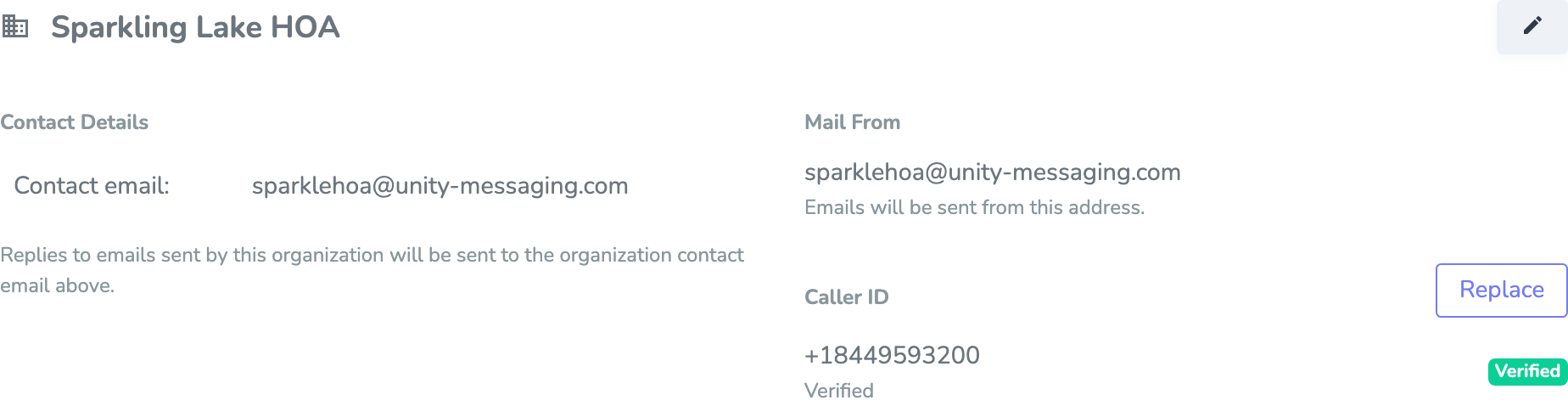
Click the pencil to open Edit Organization Details.
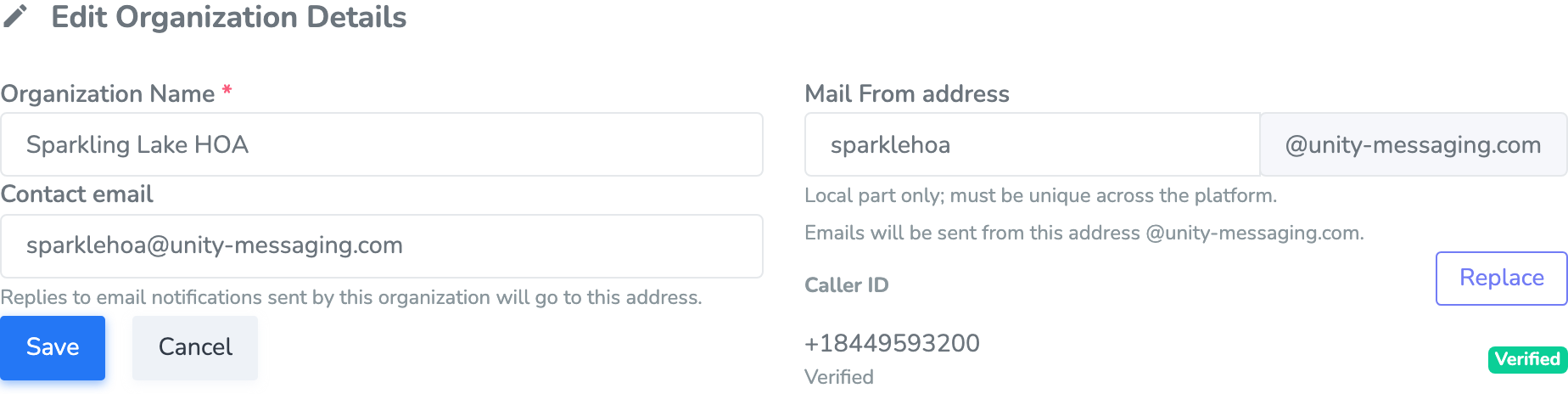
Change the Organization Name if you need to. Contact email is where replies to your emails go, so pick an inbox someone actually checks.
Mail From is the address the email is sent from. Type only the first part—for example, newsletter—and we’ll add @unity-messaging.com. That first part has to be unique, because no two organizations can share it.
Click Save when you’re done. You can’t send E-Mail until Mail From is set.
Caller ID
Caller ID is the number that shows up on someone’s phone when you send a Phone message. It sits on the same organization card.
Click Add next to Caller ID. Enter the Phone Number, and an Extension if you use one. Click Add Caller ID.
You’ll get a code by phone. Enter it within 10 minutes. When the badge says Verified, you’re ready to send calls. If that didn’t work, try Re-trigger or Verify.
Click Replace if you need a different number. You can’t send Phone messages until the new number is Verified.
Billing
Only an Administrator can change billing.
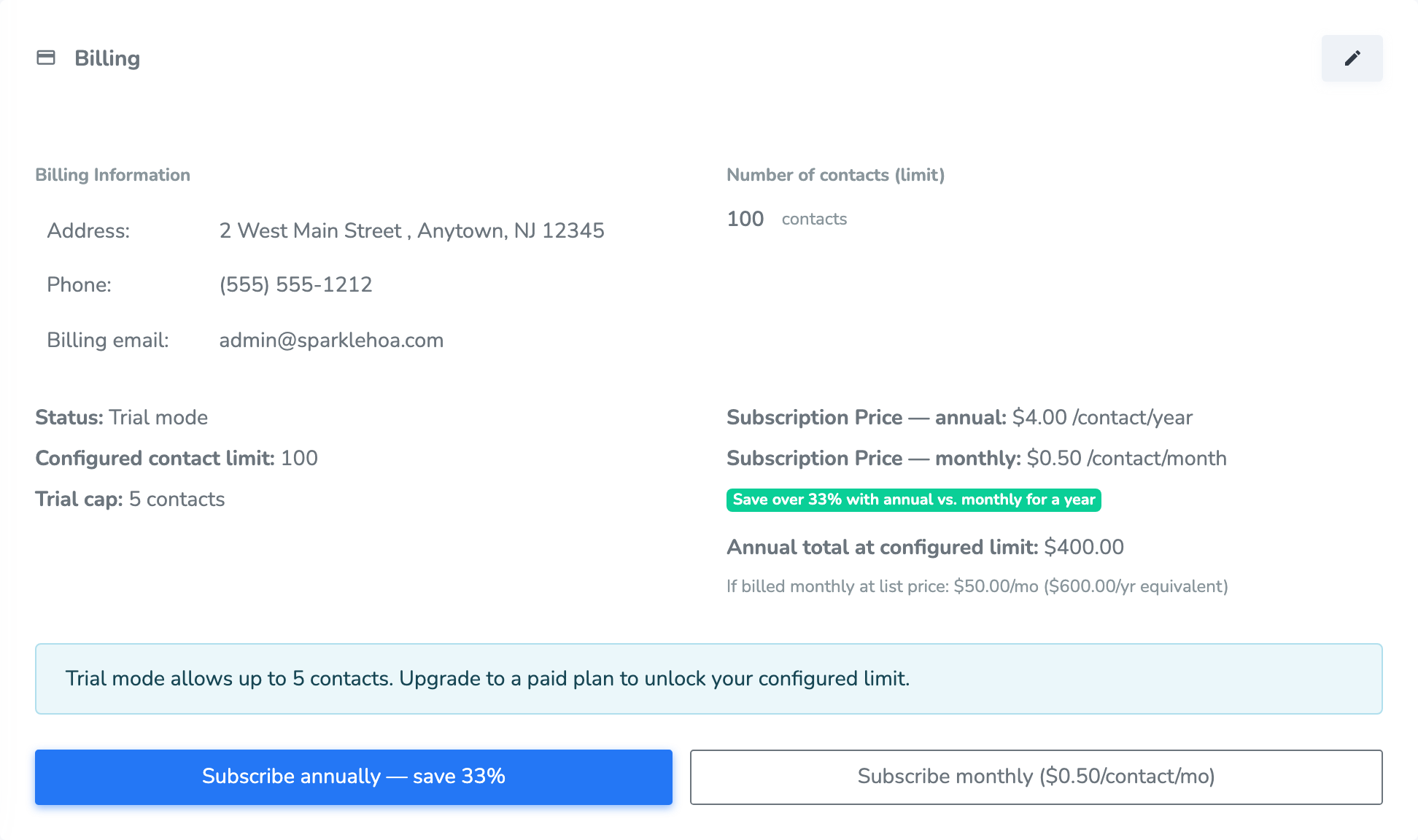
Before you subscribe, save an address, phone number, and billing email, then click Save billing info. We use this for invoices and payment messages.
A new organization starts in Trial mode. You can keep a small number of contacts (usually 5), use every feature, and you don’t need a credit card.
Once that billing information is saved, you can Subscribe annually or Subscribe monthly. You’ll see the exact price per contact before you continue. Messaging stays unlimited, and there’s no contract.
Use the contact limit controls when you need more room—or less. Raising the limit may ask you to pay for the extra contacts. Lowering it takes effect at your next renewal. If you started checkout and didn’t finish, you may see Pending seat upgrade and Cancel pending upgrade.
Manage subscription is where you update the card on file, look at invoices, or cancel. If you cancel, you keep access until the end of the period you already paid for.
Invoices and Payments lists dates, amounts, and whether something is still due. Open View or PDF to read an invoice. Use Pay / Update if a payment needs attention.

Organization Members
This card is your team.
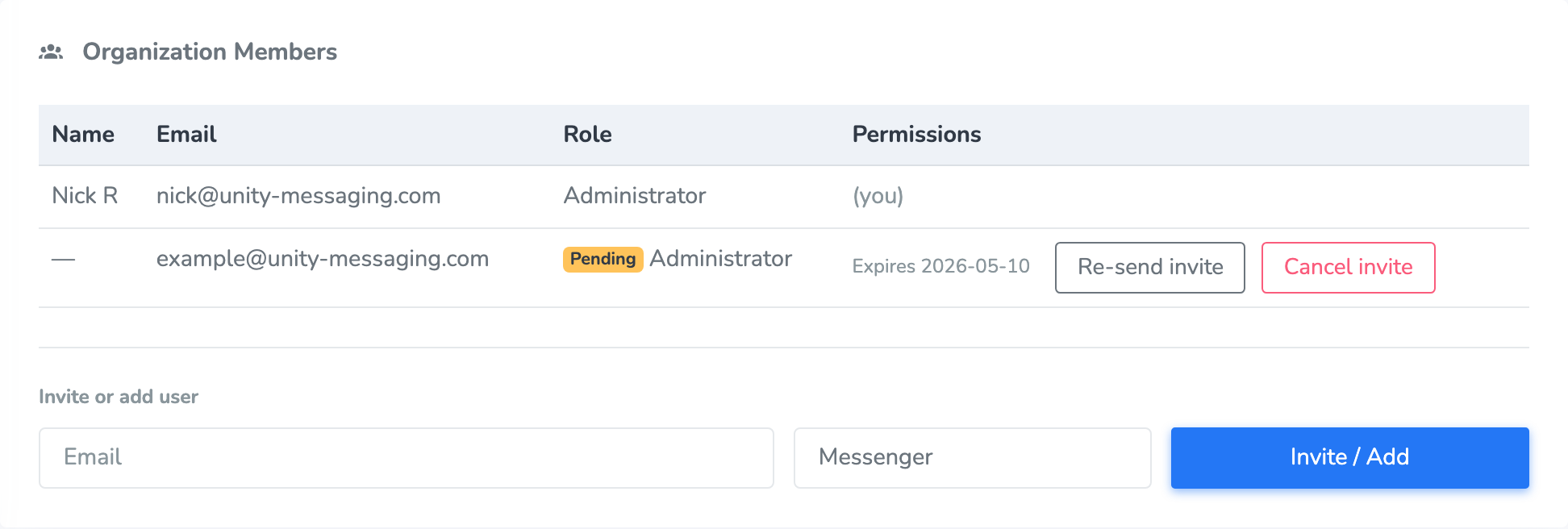
Enter their Email, pick Messenger or Administrator, and click Invite / Add.
If they already have a Unity Messaging account, they join right away. If not, they get an email that lasts 7 days. Pending invites show Pending and an expiration date, plus Re-send invite and Cancel invite.
Use the role dropdown next to another person, or click Remove. You can’t change your own role or remove yourself, and the organization always needs at least one Administrator.
An Administrator can do everything, including Administration, Billing, and invites. A Messenger can send messages and manage contacts, but they don’t see Administration.
Self-Service Contact Management
If you’d rather not type every contact yourself, use the card at the bottom of the page.
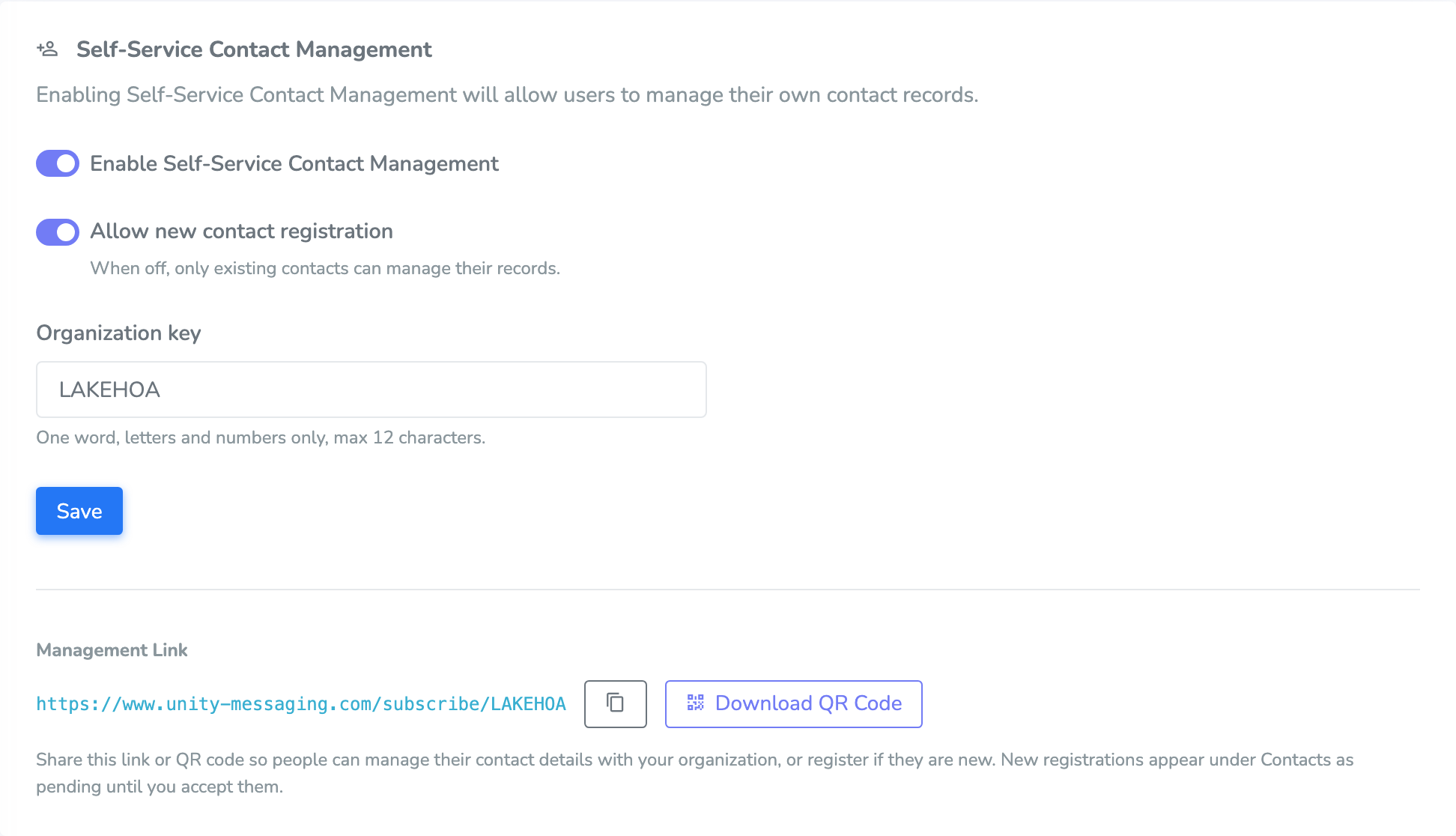
Switch on Enable Self-Service Contact Management. If you also want new contacts to sign up, turn on Allow new contact registration. If that’s off, only people who are already contacts can look themselves up.
Pick an Organization key—one word, letters and numbers, up to 12 characters—then click Save. Copy the Management Link or Download QR Code and share it.
New sign-ups wait in Pending registrations on Contacts until an Administrator accepts them. They don’t get messages, and they don’t count toward your contact limit, until then.